What it is
The DT-EQ1 is a handheld microphone with a colour screen that sits between your mouth and the radio. While you talk, your voice goes through filters, a 6-band digital parametric equalizer, a compressor and a limiter. Then it goes out to the radio, fuller and easier to understand.
It works with CB radios and with HF radios that have a microphone input. Everything is set on the screen: the only physical button is the PTT.
First start
The first time, the handheld guides you through 16 steps, about 5 minutes. During the whole guide the radio never transmits. Each step has a test, and with BACK you can return to the previous step.
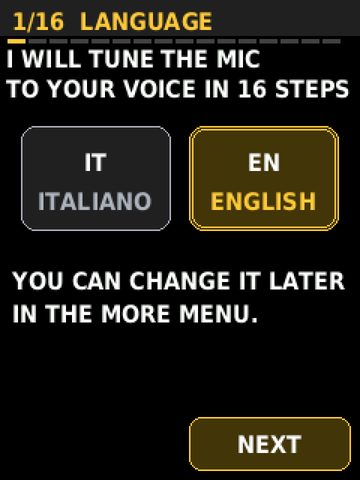
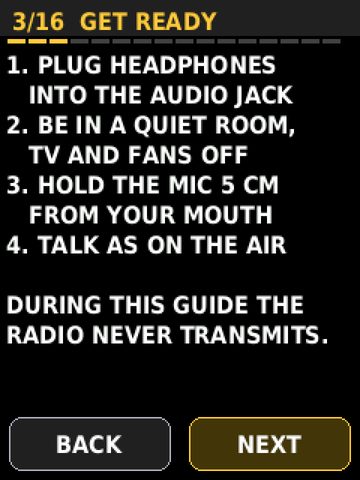
- Language and welcomeChoose ITALIANO or ENGLISH. You can change it later from the MORE menu.
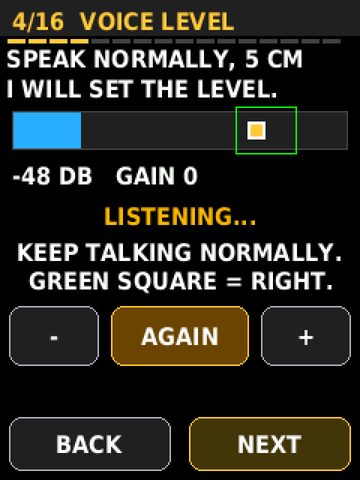
- Voice levelTalk normally at 5 cm. The handheld looks for the right level: when the signal sits in the green square, the level is right. Fine-tune with - and +, repeat with the redo key.
- NoiseStay quiet and still and press the noise measurement key: the handheld listens to the hiss of the room. Here you can also set the gate, which cuts the hiss when you are not talking.
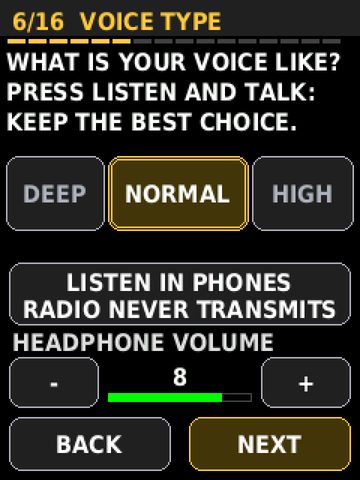
- Voice typeChoose deep, normal or high by pressing the listen-in-headphones key and talking: keep the choice that sounds best.
- CompressorMakes your voice fuller. Try the four levels: off, light, medium, strong.
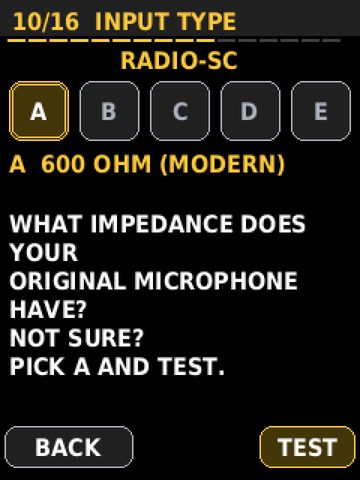
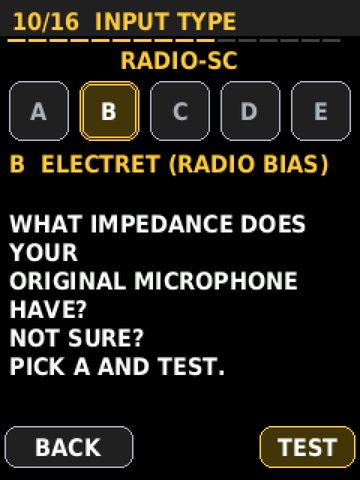
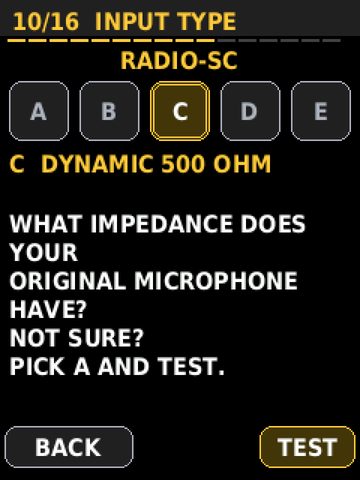
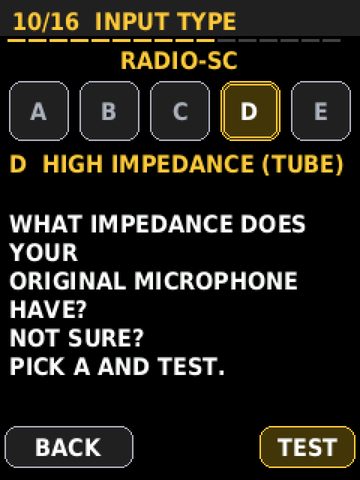
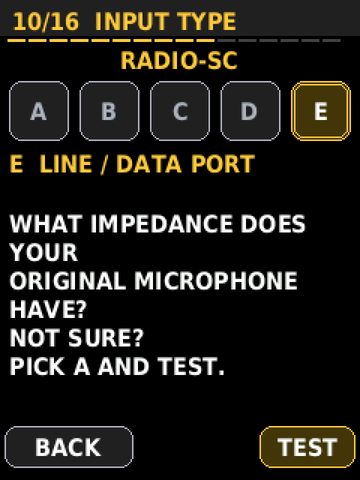
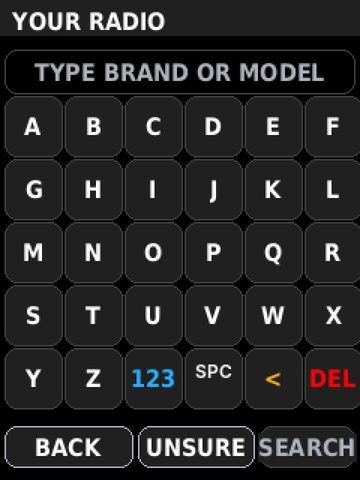
- Your radioType brand and model. If you do not know, press the "I don't know" key. Then choose an input class from A to E and press the test key: each radio wants its own voice level.
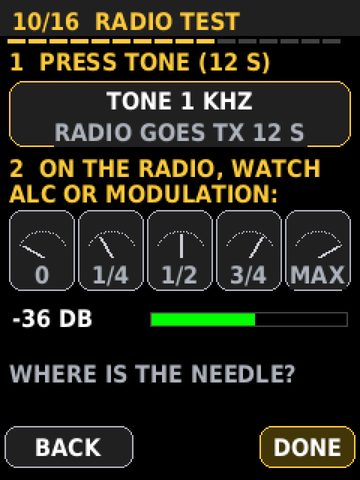
- Test with the radioPut the radio in SSB, with power at minimum or into a dummy load. Press the tone key: the handheld sends a 12-second whistle. Watch the ALC or modulation indicator on the radio and choose what it does. Then follow the tips.
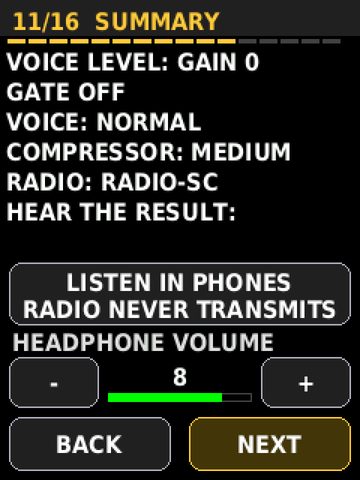
- Summary, screen, meter, quick keysYou check your choices, set the screen light and rest, choose the main-screen meter and the two keys next to M1.
- All setPress the finish key. At the next start the handheld is ready.
Main screen
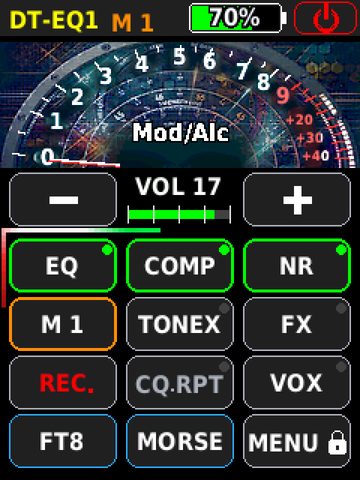
At the top you find the name DT-EQ1, the active memory (M 1), the battery charge and the power-off key. Below is the meter that shows your voice level.
A tap switches on or off, a long press opens the settings page. This applies to EQ, COMP and NR: when they are green, they are on.
- - / +Headphone volume (VOL 17).
- EQTap: digital parametric equalizer on or off. Long: EQ page.
- COMPTap: compressor. Long: COMP page.
- NRTap: noise reduction. Long: NR page.
- M 1Chooses the memory, M1 to M6.
- TONEXTest tone. Long: decoder page.
- FXOpens echo and end-of-transmission beep.
- REC.Records. Long: recorder page.
- CQ.RPTSends the call message.
- VOXTransmits when you talk.
- FT8FT8 decoder and transmission.
- MORSEMorse decoder.
- MENUOpens the menu. Long: locks the screen.
Switching on and off
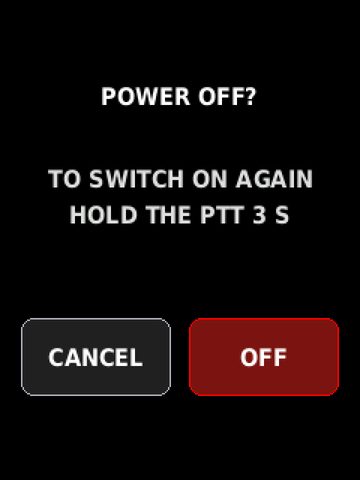
To switch off, tap the red key at the top right and confirm. To switch on again, hold the PTT for 3 seconds.
Transmitting
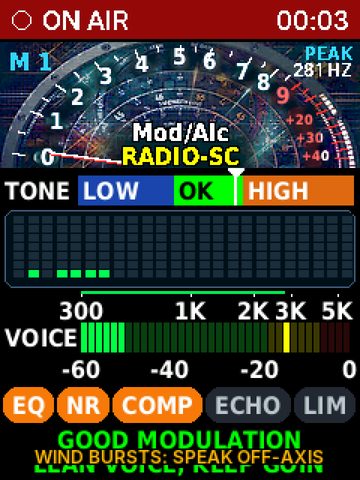
Hold the PTT button and talk. At the top ON AIR appears with the transmit time. Below you see the needle, the voice spectrum and the level.
The voice tone verdict
The LOW / OK / HIGH bar tells you how your voice sounds. If it is too dull, the needle goes to LOW. If it is too sibilant, it goes to HIGH. When it sits in OK you are fine. A tip appears below: move closer, turn the microphone, raise the compressor.
The indicators
Five indicators show what is working: EQ, NR, COMP, ECHO and LIM. The limiter turns red when it cuts peaks.
Tuning your voice
Your voice goes through these stages, in this order. Each can be switched on and off.
| Stage | What it is for |
|---|---|
| High-pass | Removes useless lows and wind thumps. |
| Noise reduction | Removes constant hiss. |
| Gate | Closes the microphone when you are not talking. |
| digital parametric equalizer | Gives your voice its character: more body or more clarity. |
| Compressor | Raises the average level without distortion. |
| Low-pass, echo | Cuts useless highs and adds echo, if you want it. |
| Limiter | Keeps peaks under the threshold that protects the radio. |
To compare, switch off one stage at a time with its key and listen to the difference in the headphones.
digital parametric equalizer
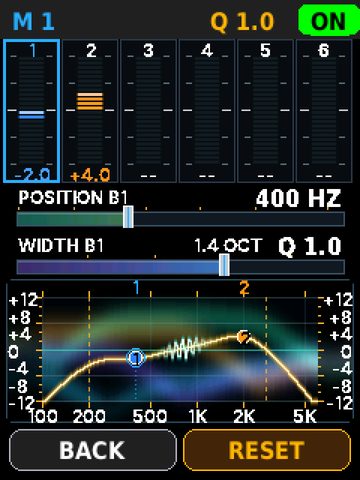
The heart of the handheld. It has 6 bands. Each band can be a bell, a low shelf or a high shelf.
Open the page with a long press on the EQ key. Then:
- Drag the points on the curve: up raises, down lowers.
- Behind the curve you see the spectrum of your voice while you talk. So you know where to cut or add.
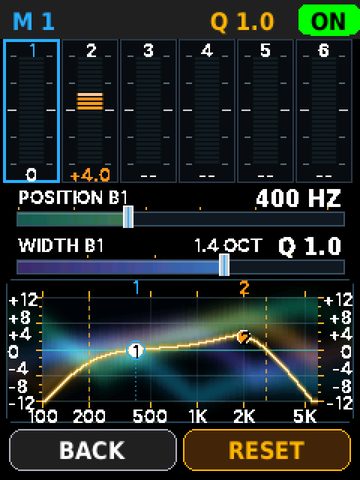
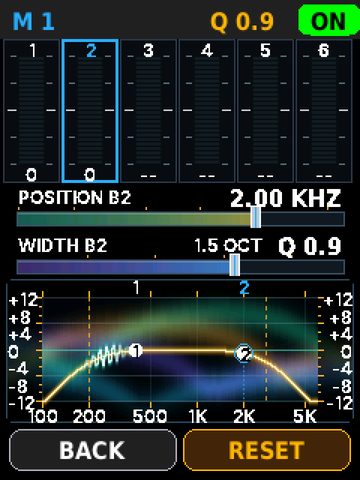
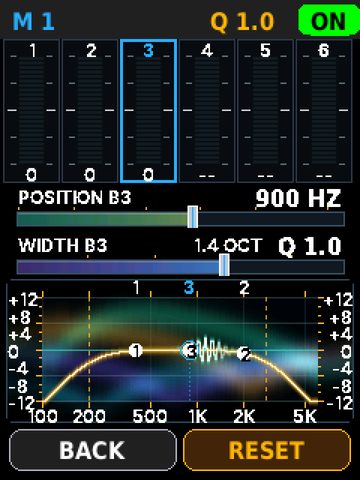
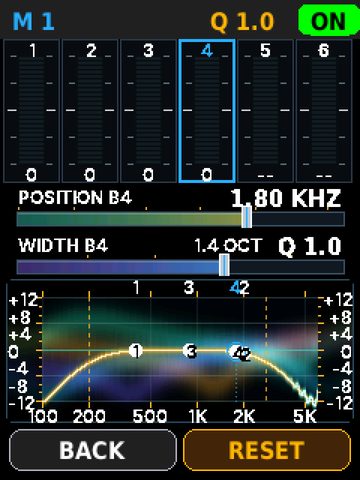
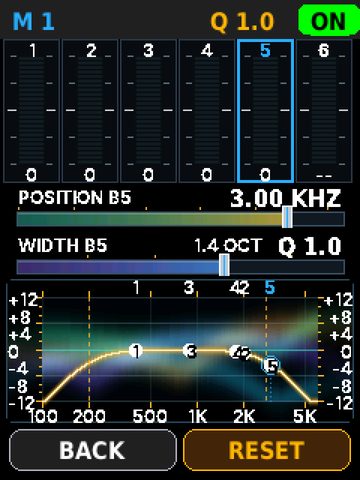
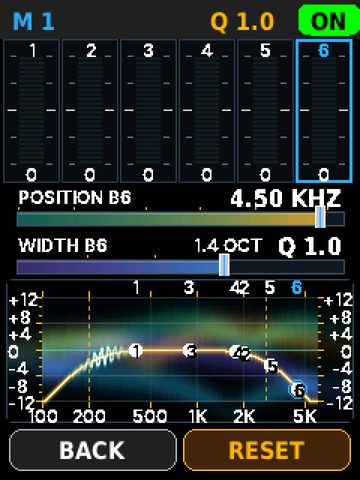
- POSITION moves the band in frequency, WIDTH makes it narrower or wider.
- RESET returns the band to its starting point.
While you drag, noise reduction pauses by itself, to avoid crackling.
The six bands, one by one
Tap a band to select it. Each has its number at the top, its frequency position and its width.
Compressor and gate
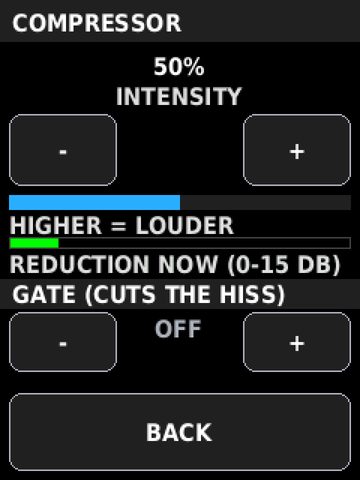
The compressor has a single knob: the intensity, from 0 to 100%. The higher, the fuller and louder your voice. The handheld calculates the rest. Below, the REDUCTION NOW line shows how hard it is working, from 0 to 15 dB.
The gate cuts the hiss when you are not talking. Raise it from OFF until the noise disappears in the pauses but the words are not cut.
After the compressor there is always the limiter, which is not adjustable: it keeps peaks under the radio's safe threshold.
Noise reduction
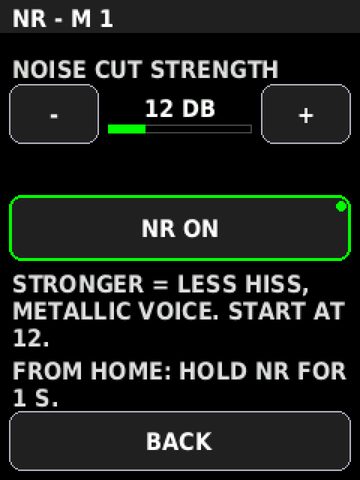
Filters constant noise, like fans, hiss and hum, while you talk. A long press on NR opens the page.
- Noise cut strength: from 3 to 36 dB. Start from 12.
- Stronger means less hiss, but the voice can become metallic.
Echo and end-of-transmission beep
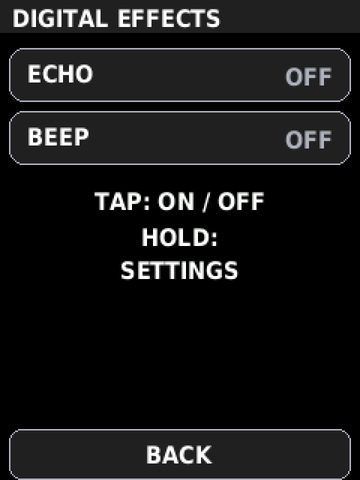
Tap FX on the main screen. Here are two effects.
Echo
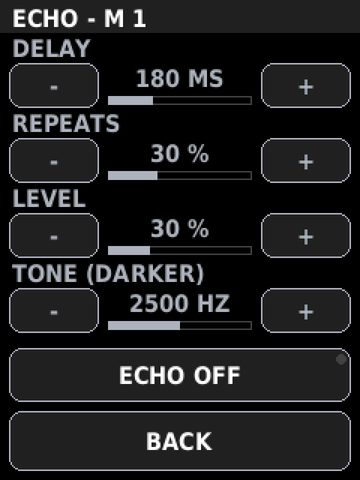
A tap on ECHO switches it on or off. A long press opens the settings: delay (30 to 500 ms), repeats, level and tone. Each repeat is darker than the last, like analog echoes. Echo is saved in each memory.
End-of-transmission beep
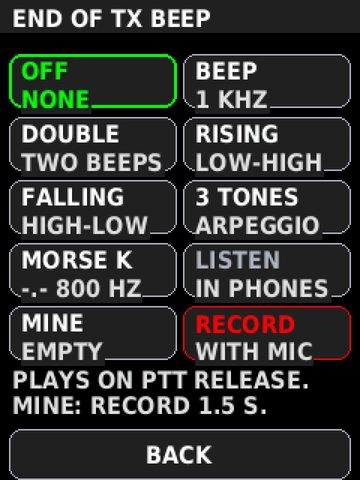
A sound you send to the radio when you release the PTT, to tell the other station you are done. Choose one of seven: beep, double, rising, falling, three tones and Morse K. Or record your own (1.5 seconds). When you choose one you hear it at once in the headphones, and the listen key repeats it without transmitting.
Memories
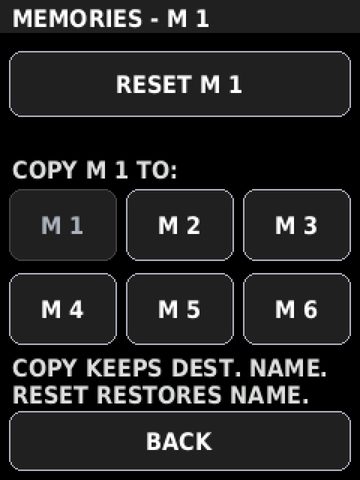
Six memories, M1 to M6. Each has its own digital parametric equalizer, compressor, echo and noise reduction. The M 1 key on the main screen chooses the memory.
The starting memories are SSB, USB, AM/FM, DX, LOCAL and FLAT. The DX memory raises the area around 1-1.5 kHz and compresses more: it is made to be heard from far away.
In the memories menu you can copy one memory into another and restore the current one to its starting values.
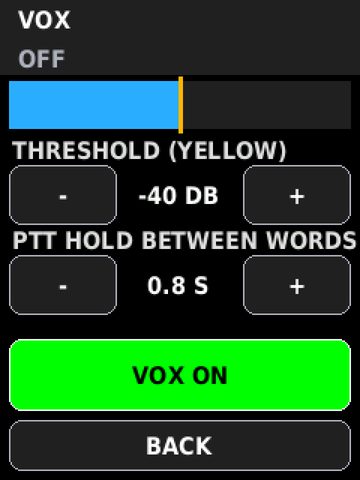
VOX
The VOX makes the radio transmit when you talk, without pressing the PTT.
- Threshold: the yellow mark on the bar. Above this level the VOX triggers. Start from -40 dB.
- PTT hold between phrases: how long it stays on air between one word and the next. 0.8 seconds is fine to begin with.
- Press the switch-on-VOX key to activate it.
Call messages
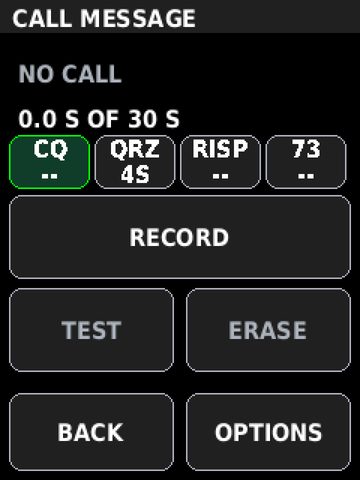
Four messages recorded with your voice: CQ, QRZ, REPLY and 73. You record them once, then with the CQ.RPT key the handheld sends them to the radio by itself. Each message lasts up to 30 seconds.
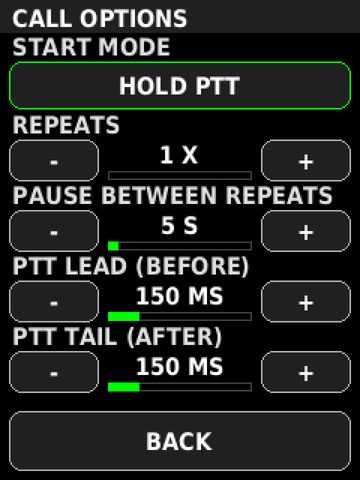
In the options you choose:
- How it starts: hold PTT or automatic.
- Repeats: from 1 to 99 times.
- Pause between repeats: to listen if someone answers.
- PTT lead and tail: a moment of PTT before and after the voice, so words are not cut.
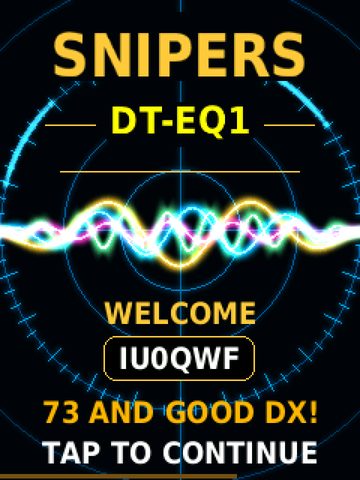
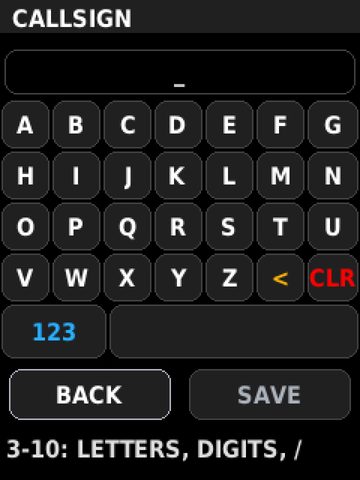
Your callsign is typed from the CALLSIGN menu. It appears in the welcome screen and is used by FT8.
Recorder
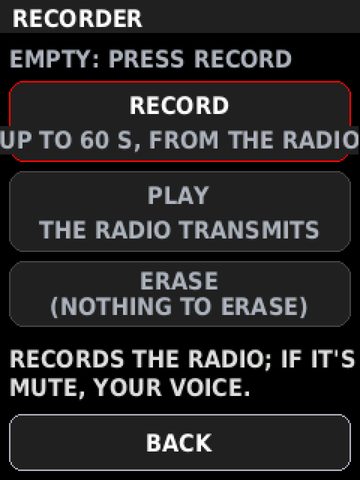
Records up to 60 seconds of what comes from the radio. If the radio is silent, it records your voice. You can play it back in the headphones, without transmitting, and delete it.
It opens with a long press on the REC. key. Use it to hear how you came across, or to replay a signal you missed.
Meters
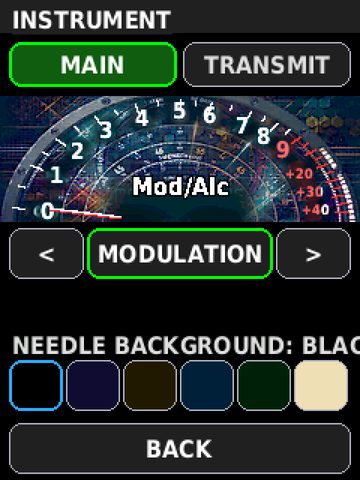
The main-screen meter is chosen in the INSTRUMENT menu. There are three: the photo dial (Modulation), the needle and the classic VU. Two tabs, main and transmit, let you pick one meter for when you rest and one for when you transmit. The needle has six backgrounds.
The dial also shows the name of your radio, for example RADIO-SC if you have not chosen one.
Decoders and TONEX
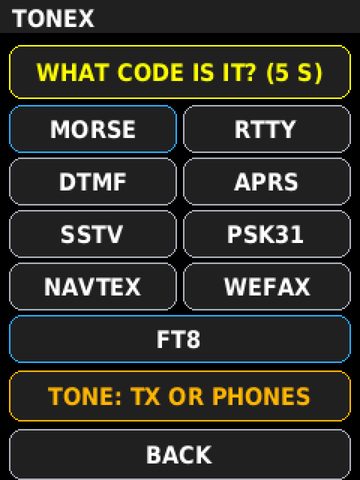
Hold TONEX to open the decoders. The handheld listens to the radio audio and turns it into text or an image:
MORSE, RTTY, DTMF, APRS, SSTV, PSK31, NAVTEX, WEFAX e FT8.
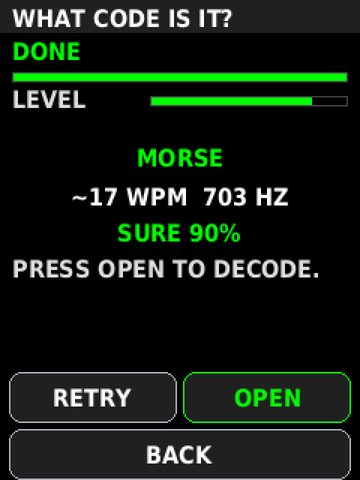
The WHICH CODE? key listens to an unknown signal and tells you what type it is, with a confidence percentage.
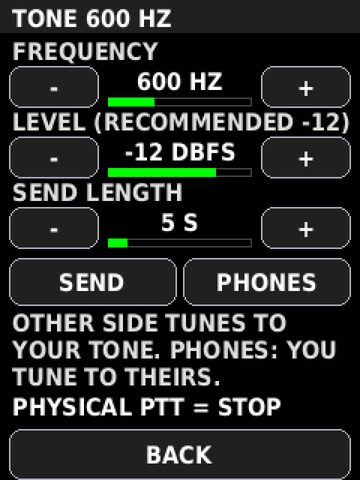
Test tone
At the bottom of the page is the TONE key. It is for zero-beating in SSB: choose frequency, level and duration, then:
- transmit: whoever is listening turns the tuning until they hear the same note as your tone.
- in headphones: if the other station sends a tone, you turn the tuning until it sounds the same as this one.
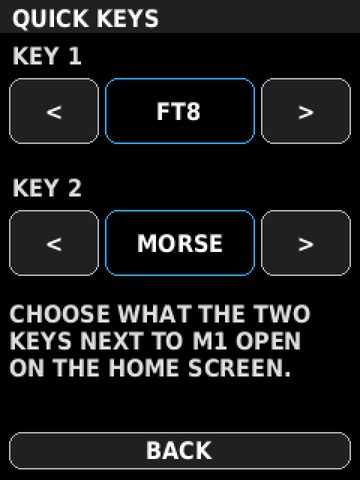
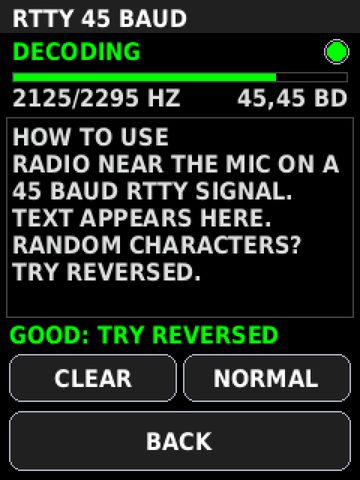
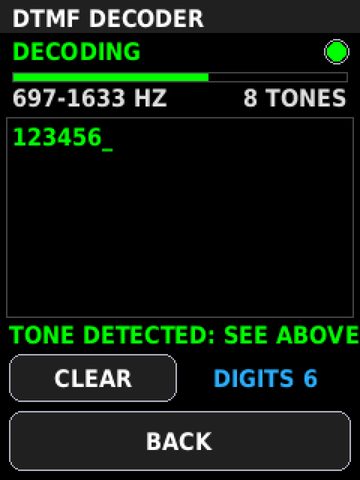
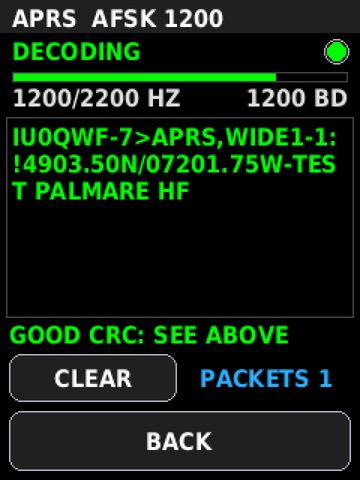
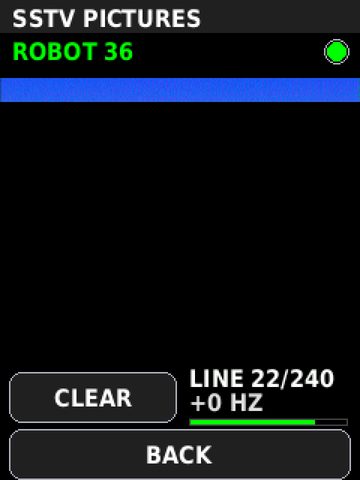
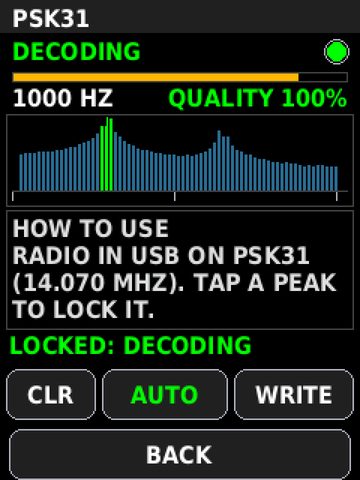
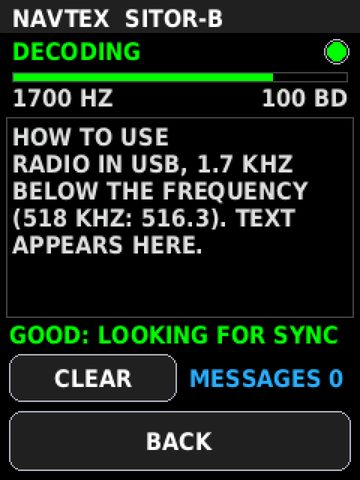
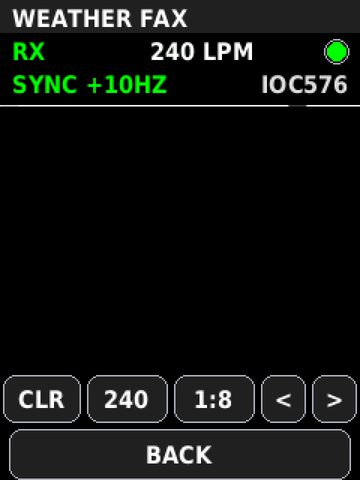
In the QUICK KEYS menu you choose which two decoders open with the keys next to M1.
FT8
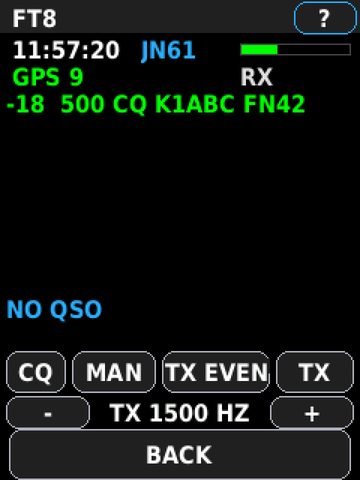
FT8 is a digital mode for contacts with very little power. The handheld decodes and transmits it by itself. It needs the exact time, which it takes from the GPS.
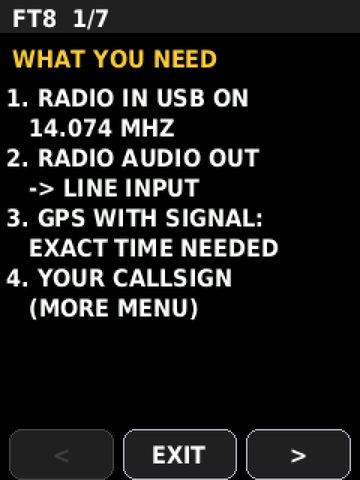
What you need
- Radio in USB on 14.074 MHz.
- Audio from the radio to the line input.
- GPS with a signal, for the exact time.
- Your callsign, in the menu.
While the time is missing, No GPS - WAITING appears. The first GPS fix can take several minutes, outdoors. The ? key at the top opens the step-by-step guide.
The keys at the bottom: CQ calls, MAN manual, the even/odd key chooses the time slot, TX transmits, and with - and + you choose the frequency.
Morse
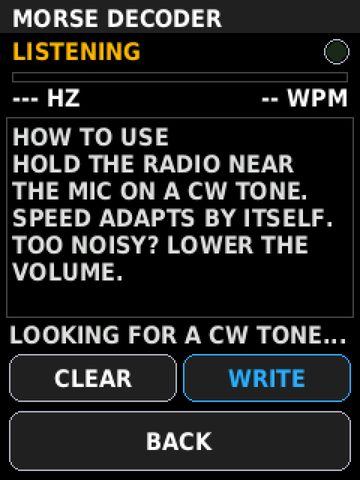
Hold the radio near the microphone on a CW tone, or connect it to the input. The handheld shows the frequency and the speed in words per minute, and writes the text. If the speed is wrong, lower the volume or reduce the noise.
With the write key you go to the keyboard: type a text and the handheld sends it in Morse, or lets you hear it in the headphones.
The menu
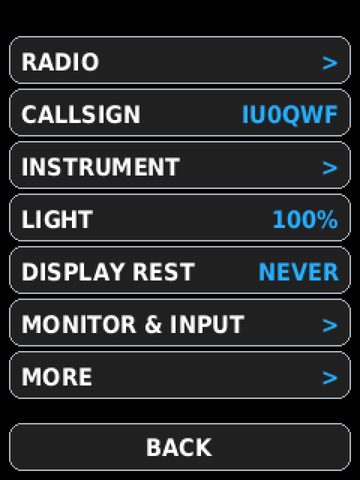
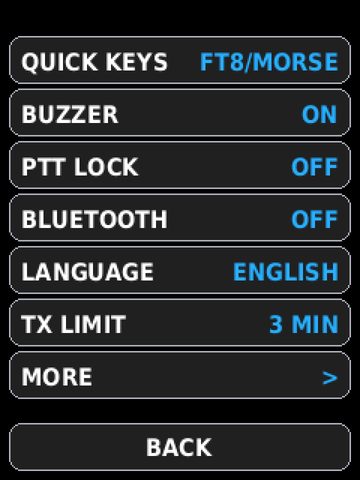
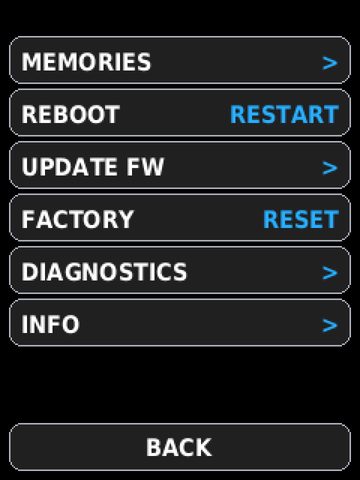
The menu has three pages. MORE goes to the next one, BACK goes back.
| Item | What it does |
|---|---|
| RADIO | Choose your radio from the list, or type the model. |
| NOMINATIVO | Your callsign. |
| INSTRUMENT | The main-screen meter. |
| LIGHT, DISPLAY REST | Brightness and how long before the screen switches off. |
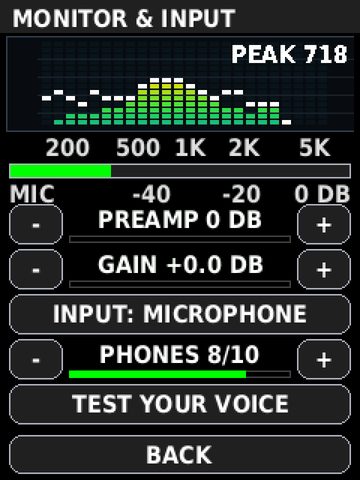
| MONITOR & INPUT | Preamplifier, gain, microphone or line input, headphone volume, test your voice. |
| QUICK KEYS | The two decoders next to M1. |
| BUZZER | The sound of alerts. |
| PTT LOCK | PTT and VOX do not transmit. It can only be removed from the screen. |
| LANGUAGE | Italian or English. |
| TX LIMIT | Maximum continuous transmit time. |
| Memories | Copy and restore the six memories. |
| Restart | Restarts the handheld. |
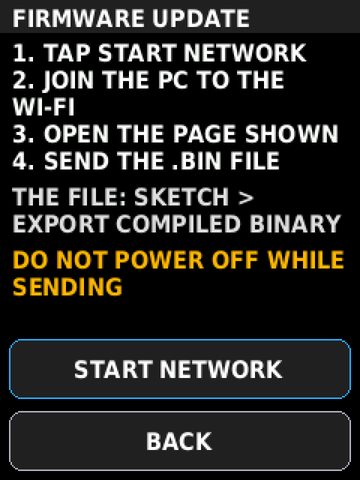
| Firmware update | Updates over Wi-Fi. |
| Factory reset | Erases the settings (see below). |
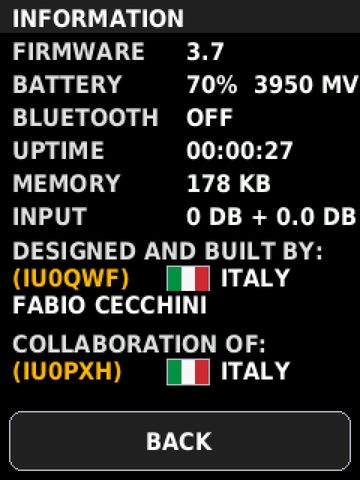
| Diagnostics, info | Technical measurements, version, battery, uptime. |
Your radio
Every radio wants its microphone its own way. In the RADIO menu type brand and model: the handheld looks the radio up in a list and picks the input class.
| Class | Type |
|---|---|
| A | Modern low impedance, 600 ohm: a few millivolts. |
| B | Electret powered by the radio: DC voltage on the microphone wire. |
| C | 500 ohm dynamic, for CB and older radios. |
| D | High impedance, for tube radios: hundreds of millivolts needed. |
| E | Data port or line: level from 100 mV to 1 V. |
If you cannot find your radio, press the "I don't know" key and do the test with the tone. Then choose the class that gives the best result. The handheld saves your choices.
Come si collega fisicamente: vedi Connecting to the radio.
Safety
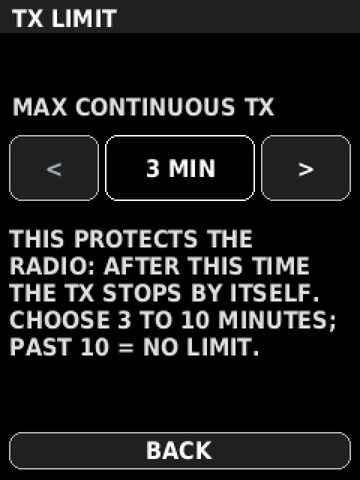
Transmit limit. After the chosen time, from 3 to 10 minutes, transmission stops by itself. It protects the radio. Values above 5 minutes are in red. Beyond 10 means no limit.
PTT lock. From the menu you lock the PTT and the VOX. A padlock appears at the top. It can only be removed from the screen, and never during a transmission.
Screen lock. A long press on MENU locks the touch, so you do not press by mistake in your pocket.
Battery. Charge it from the USB-C port. Below 15% a full-screen red warning appears and the buzzer sounds. The handheld never warns you during a transmission: it waits until you release the PTT.
Factory reset. The reset takes two taps: the first arms it, the second runs it. It returns everything to starting values and does not erase recorded messages.
Updating the firmware
The handheld updates without a cable, from the browser of your PC or phone.
- Open the pageMenu, page 3, firmware update. Tap start network.
- Join the handheld Wi-FiThe handheld creates a network with a random password, shown on the screen.
- Open the page shownThe address is written on the handheld screen.
- Send the fileChoose the
.binfile of the new firmware and send it.
If something is wrong
| What you see | What to do |
|---|---|
| The voice sounds metallic | Lower the noise reduction strength, for example from 18 to 12 dB. |
| The verdict always says LOW or HIGH | Move the microphone closer and talk normally. Then raise or lower the high area of the digital parametric equalizer. |
| Hiss in the pauses | Raise the gate or the noise reduction strength. |
| The VOX triggers by itself | Raise the threshold, or switch it off in noisy places. |
| PAUSE appears on the NR key | This is normal: the processor is very busy. Switch off echo or the feature you do not need. |
| SETUP message at start | Restart with the switch. If it repeats, check the internal audio contacts and write to us. |
| FT8 says No GPS - WAITING | Go outdoors and wait: the first fix can take a few minutes. |
| The radio does not transmit | Check that PTT lock is off and that the cable is in the right place. |
Use radios only in the ways and with the licences your country's law requires.
All screens
If you want to see every screen of the handheld in order, with the path to reach it, open the block map.